Safari on Mac only lets you choose from the search engines Apple exposes in Safari's Search settings. If Queye is not in that list, Safari cannot make it the true default search engine.
- Open Safari and choose Safari > Settings.
- Open the Search tab and check whether Queye is listed.
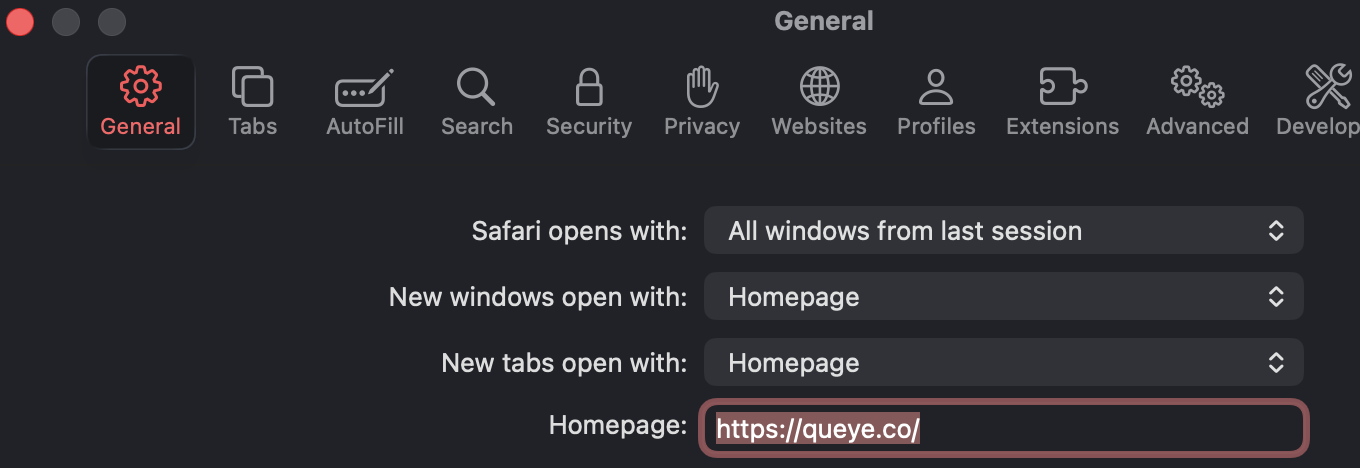
- If it is not listed, open the General tab and set Homepage to
https://queye.co/.
- Set New windows open with and New tabs open with to your homepage or start page.
- Add Queye to your Favorites bar if you want one-click access.